

Description
Plugin installer version in preparation
5 draft pages and 11 bundled media items. Real WordPress import testing pending. This new installer has passed offline static and PHP mock checks only. It has not been installed, imported or browser-rendered in a real WordPress/Elementor site.
Planned setup: Plugins → Add New → Upload Plugin → Activate. Then open Tools → FORMA HOUSE Import, review the requirements, select the confirmation checkbox and choose Import kit. Activation alone imports nothing. The importer is designed to create new drafts, add the bundled media to the local Media Library and map the page assets and declared internal links.
Requirements and limits: Elementor Free with Containers. Included header/footer sections are copied into each Canvas page and edited separately. The consultation panel is non-submitting. Destination font loading needs review.
Review every imported page in Elementor on desktop, tablet and mobile before publishing. Existing pages, homepage and global styles are not overwritten. Media may be publicly reachable while pages remain drafts.
This installer candidate is not the current customer download. Existing purchase downloads still deliver the original package described below. Earlier testing and manual-import notes refer to that original package, not the new installer.
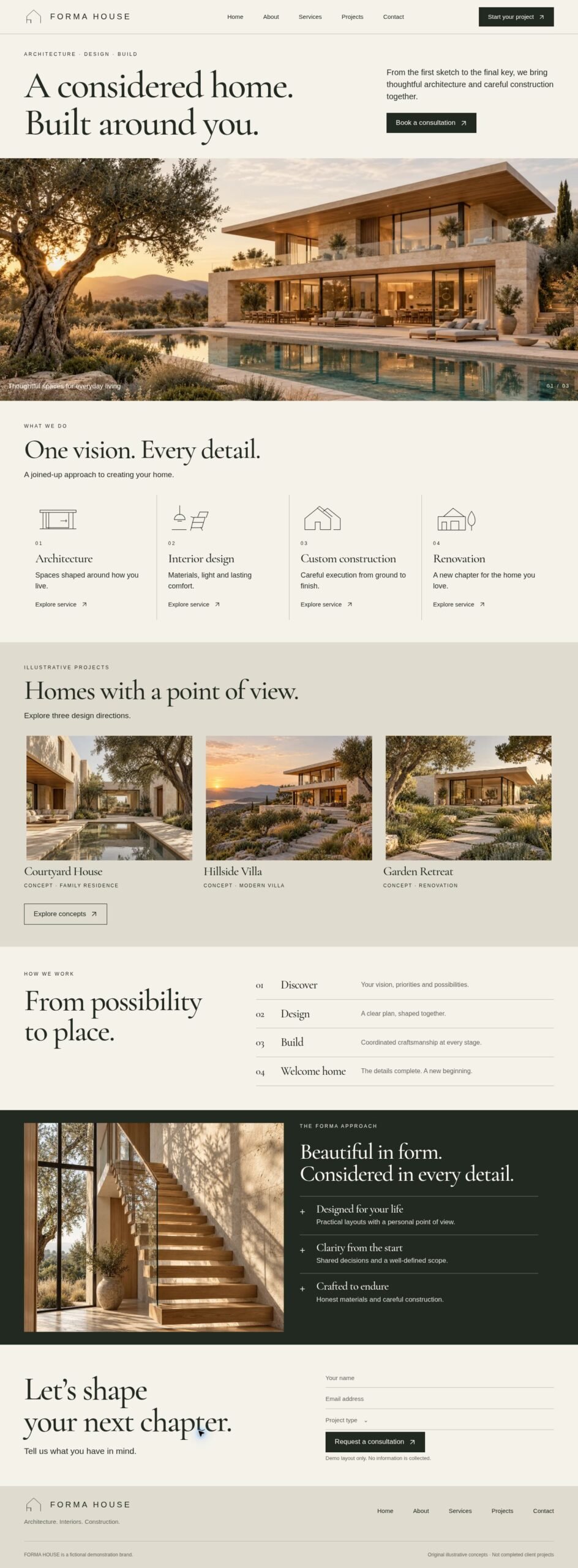
A warm, editorial architecture and home-building template collection for Elementor Free. FORMA HOUSE combines limestone-inspired colors, expressive serif typography and original illustrative house imagery.
Included
- Five editable page layouts: Home, About, Services, Projects and Contact.
- Separate reusable header and footer JSON templates.
- Named, independent Flexbox sections built with standard Elementor Free Heading, Text Editor, Image and Button widgets.
- Five original AI-generated house/interior illustrations and six static SVG assets.
- Manual import, editing, link/asset and pre-launch guides.
Requirements and setup
Requires WordPress and Elementor Free with Flexbox Containers. This is a manual JSON import bundle, not an Elementor Website Kit or one-click installer. Use Elementor Canvas and insert header/footer layouts on each page, or configure a compatible header/footer builder such as the free UAE Header & Footer Builder for shared site-wide templates. Fonts may load through Google Fonts; self-host them if your site policy requires it.
Replace all demonstration links and localize the included assets after import. The consultation area is an editable visual layout only: it contains no input fields, sends no email and collects no information. Add your chosen form plugin through a native Shortcode widget and configure privacy, spam protection and notifications before launch.
Illustrative content
FORMA HOUSE is a fictional demonstration brand. The displayed houses are AI-generated design concepts, not completed client projects. No testimonials, company performance claims or invented contact details are included.
Reviews
There are no reviews yet.